
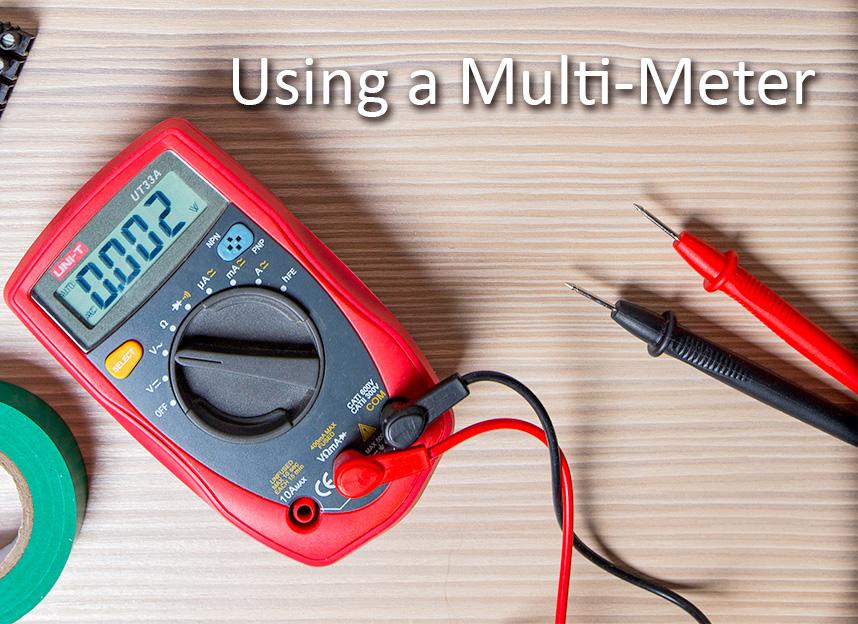
If you want to check LED voltage or test whether your LEDs or LED strip lights are getting the proper power, using a multimeter is the best way. This guide explains exactly how to use a multimeter for LEDs, step by step: from choosing settings and ensuring safety, to interpreting readings from LED strips, individual diodes, or the LED power supply. By the end, you’ll know how to diagnose power issues, whether the problem is in the strip, the power supply, or the wiring.
1. Why Test LED Voltage?
-
To verify if your LED is getting the correct voltage and thus operating properly.
-
To check whether the power supply is delivering what it claims.
-
To diagnose dimming, flickering, or failure issues.
-
To ensure that your setup (wires, connectors, drivers) isn’t introducing voltage drop.
By checking LED voltage, you can catch problems early before damage or inefficient operation.
2. What You’ll Need
-
A digital multimeter (with DC volts and ideally diode test mode).
-
Probes (red = positive, black = negative).
-
Access to your LED or LED strip light, including its power supply and wiring.
-
Data sheet or specifications for the LED or strip, if available (forward voltage, current).
-
(Optional) A small load or known resistor if doing fine tests on individual LEDs.
3. Basic Concepts: LEDs, Voltage, Current & Power Supply
-
LED forward voltage (Vf): the voltage drop across the LED when it is forward biased (i.e. it is lit). Varies by color/type (e.g. red ~1.8‑2.2V, blue/white ~3‑3.7V).
-
Current (amps, mA): how much current is flowing. LED brightness and lifespan depend heavily on correct current.
-
Power supply or driver: must match or exceed the required voltage of the LED or strip (plus overhead), and provide sufficient current.
-
Voltage drop: loss of voltage along wires or through connectors, which can affect LED strip lights especially over longer runs.
4. Step‑by‑Step: Using Multimeter for LEDs
4.1 Testing Individual LEDs
| Step | What To Do |
|---|---|
| Step 1 | Set your multimeter to diode test mode if available. If not, set to the lowest DC voltage range that covers your expected LED voltage. |
| Step 2 | Identify anode (+) and cathode (−) of the LED. Usually, the longer lead is anode; the shorter or flat edge is cathode. |
| Step 3 | Connect red probe to anode (+), black probe to cathode (−). |
| Step 4 | Read the display: you should see a forward voltage (Vf) value if the LED is good. It may glow faintly depending on multimeter. If “OL,” infinite, or no reading, LED may be bad or probes reversed. |
| Step 5 | Compare to expected voltage. If the reading is much lower than expected, the LED might be weak; much higher suggests maybe the meter wasn’t forward biased or there is a poor connection. |
4.2 Testing LED Strip Lights
When using multimeter for LED strip lights, the process is similar but with added considerations:
-
Locate points to measure: find where the strip’s positive and negative DC wires or solder pads are accessible.
-
Power on the strip: so it is receiving power.
-
Set multimeter to DC volts.
-
Probe carefully: red probe on the positive input of the strip, black on negative.
-
Record voltage: Use this to check whether the strip is getting correct voltage from the LED power supply.
-
Check for voltage drop: measure at start of strip and far end; if voltage is significantly lower at far end, you might have wire resistance or poor gauge causing issues.
4.3 Testing the LED Power Supply (Driver)
-
Unplug or isolate the LED load if possible (for safety).
-
Set meter to DC volts (if power supply is DC) or AC volts for AC supplies.
-
Measure output: red probe to positive output terminal, black to negative/ground.
-
Check spec: is the voltage output matching what the power supply is rated for (e.g. 12V DC, 24V DC)? If not, the PS might be failing.
-
Load‑test if possible: measure voltage under load (i.e. while LED strip is powered) since some supplies drop voltage under load.
5. Common Issues & Troubleshooting
| Problem | Possible Cause | What to Check / Do |
|---|---|---|
| LED strip is dim at far end | Voltage drop due to long run / thin wire | Use thicker wires, inject power at both ends |
| Flickering or intermittent lighting | Poor connections, under‑capacity power supply | Check connectors, wiring, tighten, replace PS if underpowered |
| Voltage too low or too high | Wrong power supply, overloaded supply, internal issue | Measure power supply output, compare specs, replace if out of tolerance |
| LED not lighting at all | Incorrect polarity, dead LED, wiring break | Check anode/cathode, test LED separately, trace wiring with multimeter continuity (if available) |
6. Safety Tips
-
Always turn off power before disconnecting anything.
-
Confirm the multimeter is properly rated for the voltage you’re testing.
-
Use insulated probes, avoid touching bare wires.
-
If testing high power LED strips, unplug or disconnect before handling — they can heat up.
-
If not confident, get help or consult a professional electrician.
7. When to Replace vs Repair
-
If the forward voltage is far outside expected specs (and wiring is correct), replacing the LED or strip is usually the best option.
-
If the power supply can’t keep stable voltage under load, replacing the power supply is safer than hoping for repair.
-
Sometimes cleaning or re‑soldering connectors or improving wiring gauge fixes many issues without replacement.
8. Conclusion
Using a multimeter for LEDs is an essential skill if you want to diagnose LED lighting problems—whether with single LEDs, strips, or the LED power supply. By accurately checking voltage, current, and ensuring proper wiring and power delivery, you can fix brightness or flicker problems, prevent damage, and ensure long life for your lighting setup.
FAQs
How do you use a multimeter to check LED voltage?
To check LED voltage with a multimeter, set the meter to DC voltage, power on the LED circuit, and place the red probe on the positive terminal and the black probe on the negative terminal. Read the value shown; it should match the LED’s rated forward voltage (e.g., ~12V for strips, ~2–3V for individual LEDs).
Can you test an LED without powering it on?
Yes. Use the multimeter’s diode test mode: red probe to the anode (+), black probe to the cathode (−). A good LED shows a small forward-voltage reading and may faintly glow. If you see “OL” or no reading, the LED may be faulty or reversed.
What voltage should an LED strip light have?
Most LED strip lights run on 12V or 24V DC. Verify by measuring across the strip’s input terminals while powered. Always confirm the correct voltage on the label or datasheet for your specific strip.
Why is my LED strip dim or flickering?
Dim or flickering strips usually point to voltage drop, an undersized power supply, or poor connections. Measure voltage at both ends of the strip; if the far end is much lower, use thicker wire, shorten the run, or inject power at additional points.
How do I know if my LED power supply is bad?
Test the power supply’s output under load with a multimeter. If voltage sags significantly or fluctuates while the strip is on, the PSU may be failing. Ensure the output voltage matches the strip (12V/24V) and that the wattage/current capacity is sufficient.